
Created page |
mNo edit summary |
||
| Line 4: | Line 4: | ||
<font color="#38BDF8">Description</font> | |||
The Apple item is a [[:Category:Buff Items|buff-type item]] that can be purchased from the <code>/shop view</code> command. | The Apple item is a [[:Category:Buff Items|buff-type item]] that can be purchased from the <code>/shop view</code> command. | ||
| Line 12: | Line 13: | ||
=== <font color="#38BDF8">Usage</font> === | === <font color="#38BDF8">Usage</font> === | ||
The Apple item can be used to protect yourself from losing items when you die. It does NOT protect your coins in your wallet | The Apple item can be used to protect yourself from losing items when you die. It does NOT protect your coins in your wallet, but if you can't afford a Life Saver it is the 2nd best option. It can also be sold to the bot for a small amount that is not affected by your [[Coin Multiplier|coin multiplier]]. | ||
====== '''Alternative Uses:''' ====== | ====== '''Alternative Uses:''' ====== | ||
| Line 21: | Line 22: | ||
=== <font color="#38BDF8">How to Obtain</font> === | === <font color="#38BDF8">How to Obtain</font> === | ||
You can obtain the | You can obtain the Apple item from: | ||
* [[Shop|Coin Shop]] | * [[Shop|Coin Shop]] | ||
Latest revision as of 22:11, 21 April 2025

Sweet apples are better than tart, no one will change my mind.
Description
The Apple item is a buff-type item that can be purchased from the /shop view command.
- It is currently obtainable.
- It can be traded and transferred.
- It counts toward collector stats.
Usage
The Apple item can be used to protect yourself from losing items when you die. It does NOT protect your coins in your wallet, but if you can't afford a Life Saver it is the 2nd best option. It can also be sold to the bot for a small amount that is not affected by your coin multiplier.
Alternative Uses:
How to Obtain
You can obtain the Apple item from:
Note: The above list may not be a complete list and only gives a few common locations to obtain the item.
Skins
Skins are alternative art you can apply to items, pets, etc., on the bot. Once you unlock an item skin, you can equip it to an item with /skins select item and it will be the art you see for that item throughout most of the bot.
-
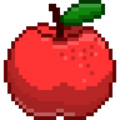 Default Apple
 -
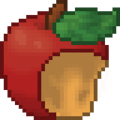 Eaten Variant
 -
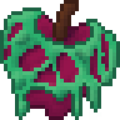 Poison Variant
 -
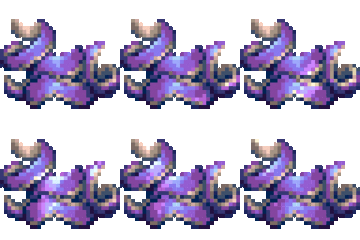 Frozen Variant


